After nearly a month of utilizing the MSI WS60 Mobile Workstation I have to admit I am spoiled by the speed and balance of this system. The clear IPS display is a pleasure to use when mobile and I love the color images on my Dell U3011 screen, courtesy of the NVIDIA K2100M GPU plus the Optimus technology preserves battery life.
Speed
The following animated gif (repeated 10 time) shows Ubuntu 14.04 booting as a guest OS in a VirtualBox virtual machine. (The guest OS boot time starts after the VirtualBox logo screen and completes when the XFCE4 login screen appears.) The two RAID 0 SSD drives are fast!

Ubuntu 14.04 booting as a VirtualBox guest OS that shows off the speed of the dual RAID 0 drives in the MSI WS60
To conserve battery power, I run the lightweight XFCE4 window system.
Display
Apple fans rejoice! When lecturing this week about the application of massively parallel computation (e.g. GPUs and Intel Xeon Phi coprocessors) in computational drug design, brain research and big data to Dr. Michael Corey’s University of Washington Bioinformatics & Systems Biology class, I found that a Mac Mini HDMI to VGA adapter worked quite well to connect my MSI WS60 to a VGA-only projector. To be honest, I did not even have time to stress too much because we just plugged it in and rebooted. The lecture hall projector only supported a VGA connection.
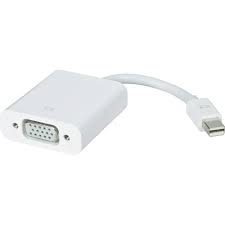
Apple Mini HDMI to VGA adapter works with MSI WS60
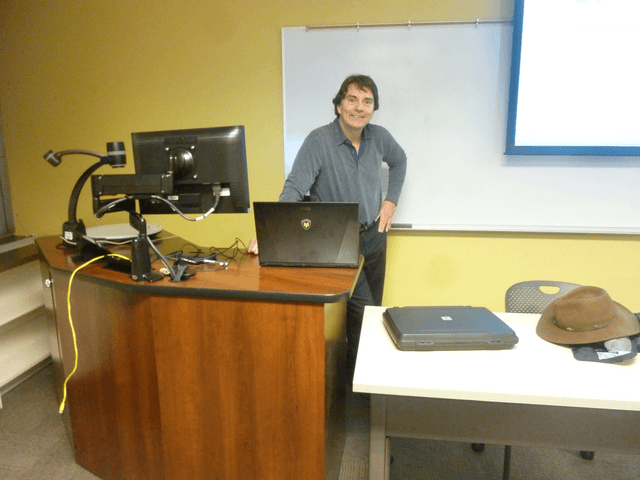
Rob Farber with MSI WS60 lecturing to a University of Washington class
The rainy Pacific Northwest climate plus the to-be-expected bumps and bangs of a mobile device motivate my purchase of a Pelican 1095cc case seen on the table in the preceding picture. The MSI WS60 fits perfectly into the case. (Note you want the 1095cc case for the padding.) The torrential rains we had that evening verified the waterproof nature of the case. I do my best to not verify the impact resistance of the case and padding.

The Pelican 1095cc waterproof hardcase for 15″ laptops
Of course, a major storm hit the Puget Sound area for my drive to the lecture. The following video helps illustrate the value of the waterproof Pelican case. I had no concerns when walking from parking to the lecture location.
Overall, the mobility of the WS60 is nice. For day trips, I ensure the battery is charged and leave the charger behind.
Battery life (leave the charger home)
You can see me working at one of the TechEnablement “fair weather” offices as I covered the visit by the Croatian Prime Minister Zoran Milanović to Gig Harbor. Founded by Croatian emigrants, the small maritime village (referred to as a “city”) of Gig Harbor is located between the technology centers of Portland and Seattle and companies such as Intel, Microsoft, Amazon, and others.

Croatian Prime Minister Zoran Milanović

Using my MSI WS60 at a “fair weather” office location
Leave a Reply